The store is able to send Items to labels
Just so you know for future this can be done by logging into SmartRetail
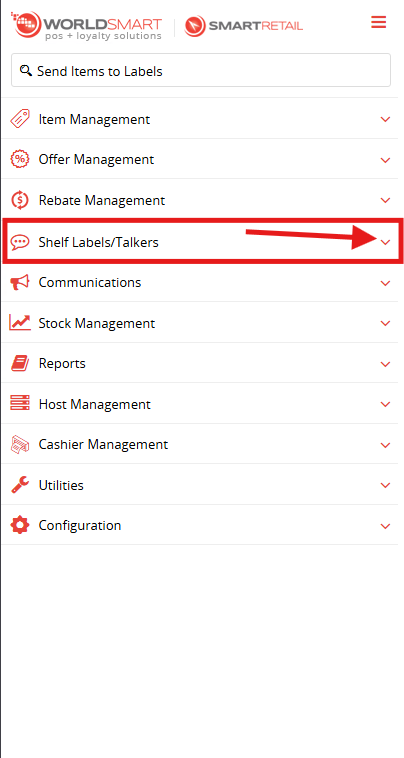
Going to the Menu Expanding Shelf Labels/Talkers
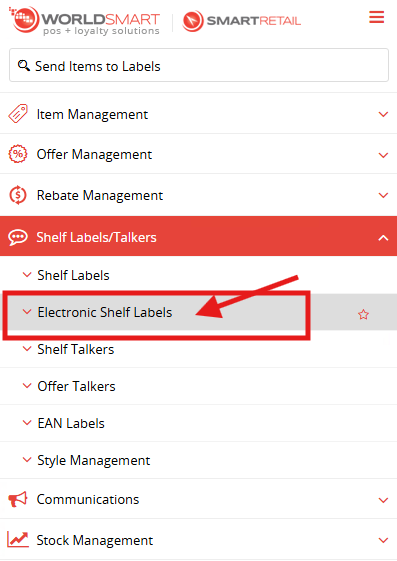
Expand Electronic Shelf Labels
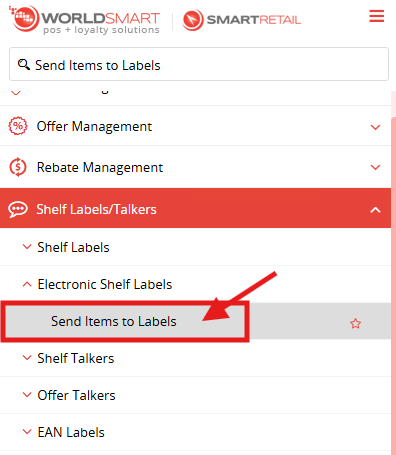
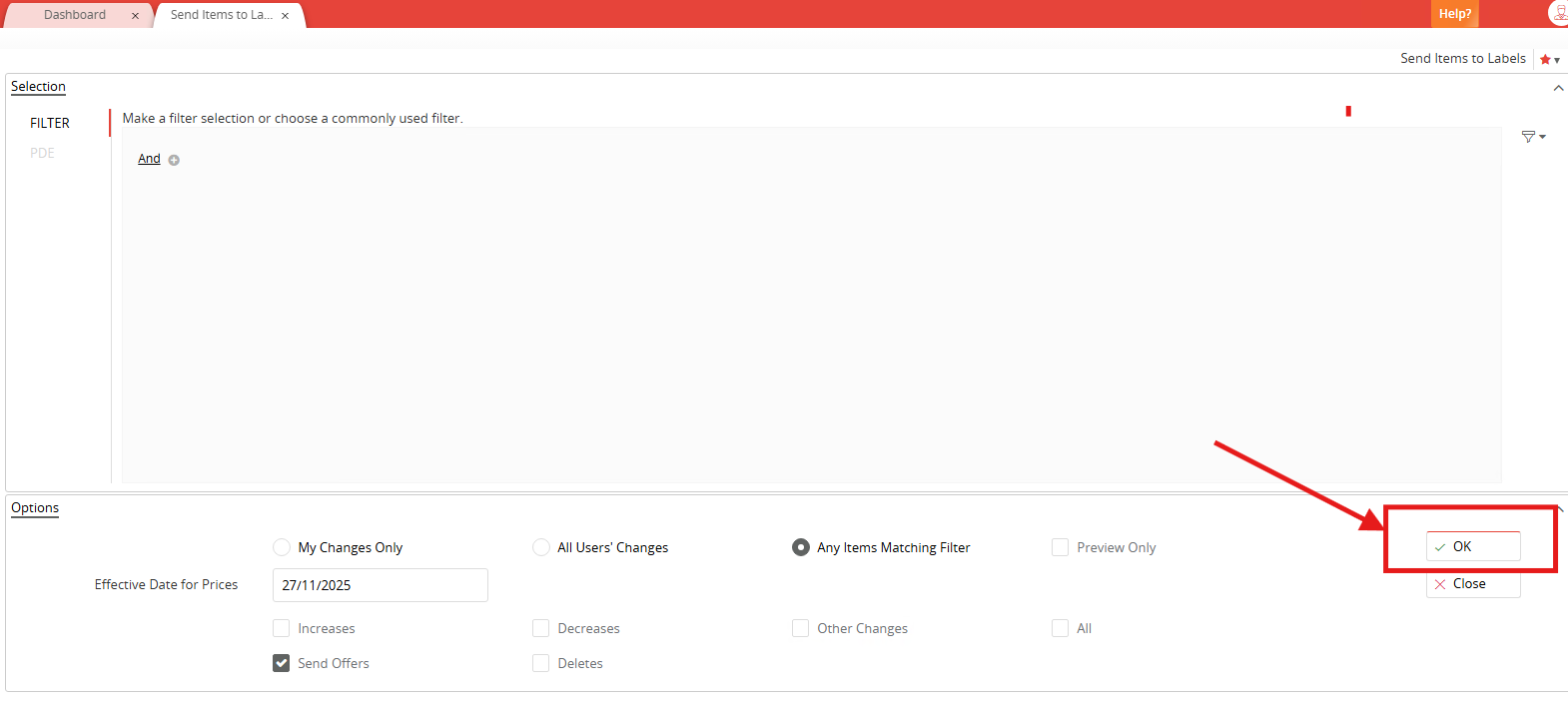
Select Send Items to Labels
Click the down arrow in the top right next to the star and select Send Items to Labels or ESL End of Day, could be called something different depending on who set it up but it will just be whatever is in the list
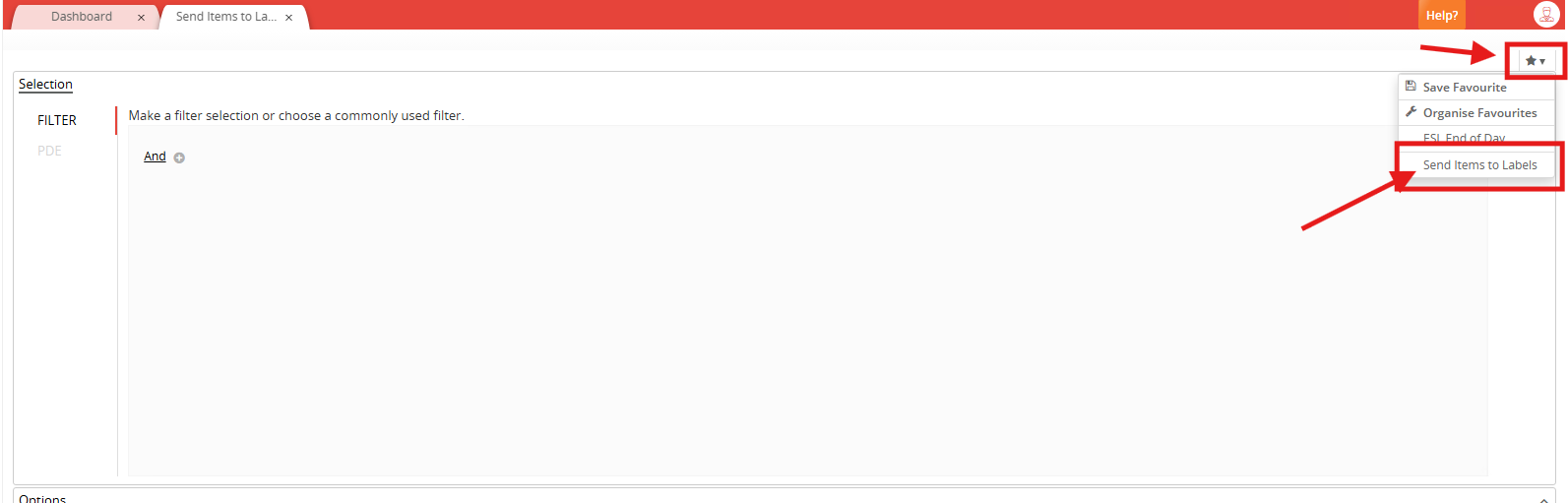
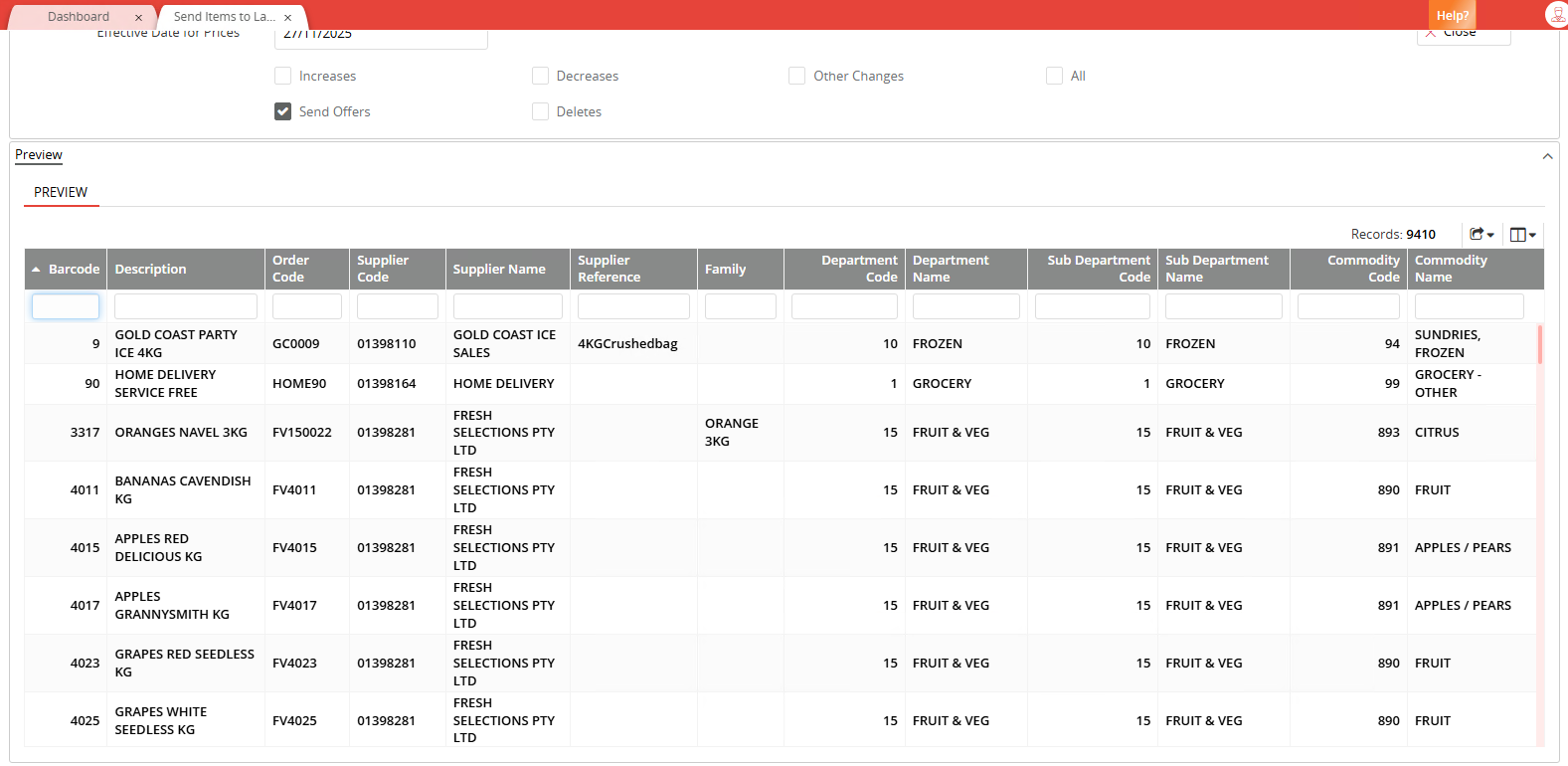
Click on, and it will populate the list of items and that will indicate the data file has been sent
Was this article helpful?
That’s Great!
Thank you for your feedback
Sorry! We couldn't be helpful
Thank you for your feedback
Feedback sent
We appreciate your effort and will try to fix the article